

FTP Webcam
Aquesta pàgina encara no està disponible en aquest idioma.
Linking instructions
- Log in to your Weathercloud account.
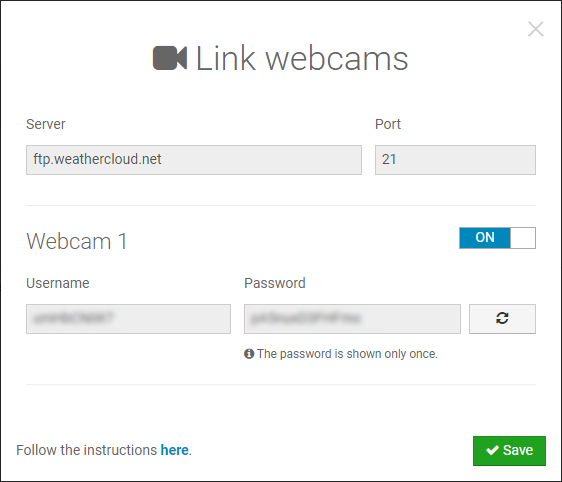
- Go to your Devices page and click on Link webcams in the Settings drop-down menu (the gear icon).
- Click the toggle switch to enable your webcam on Weathercloud.
- Copy the linking details provided for your webcam and click Save.
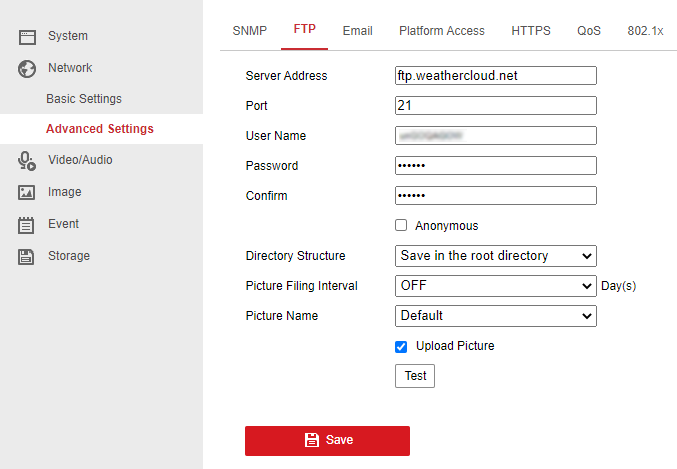
- Go to your webcam configuration tool. The linking process may vary depending on your webcam manufacturer and model.
- Paste the linking details provided for your webcam in the FTP settings.
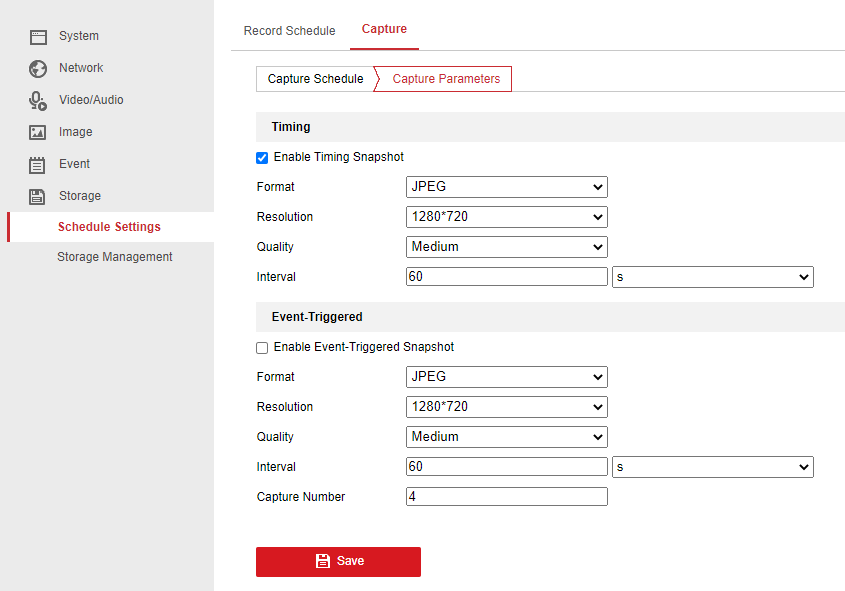
- Configure an automatic snapshot upload via FTP. The fastest time interval allowed is 60 seconds. The maximum file size allowed is 250 KB.
- If everything went right, your webcam should start uploading snapshots within the next 10 minutes.
Segueix-nos a les xarxes socials.