

WeatherLink Software
Aquesta pàgina encara no està disponible en aquest idioma.
Linking instructions
- Download the module file by clicking WeathercloudModule.dll.
- Save the module file into the Expansion_Modules folder inside your WeatherLink installation folder (typically C:\WeatherLink\Expansion_Modules or C:\Program Files\WeatherLink\Expansion_Modules).
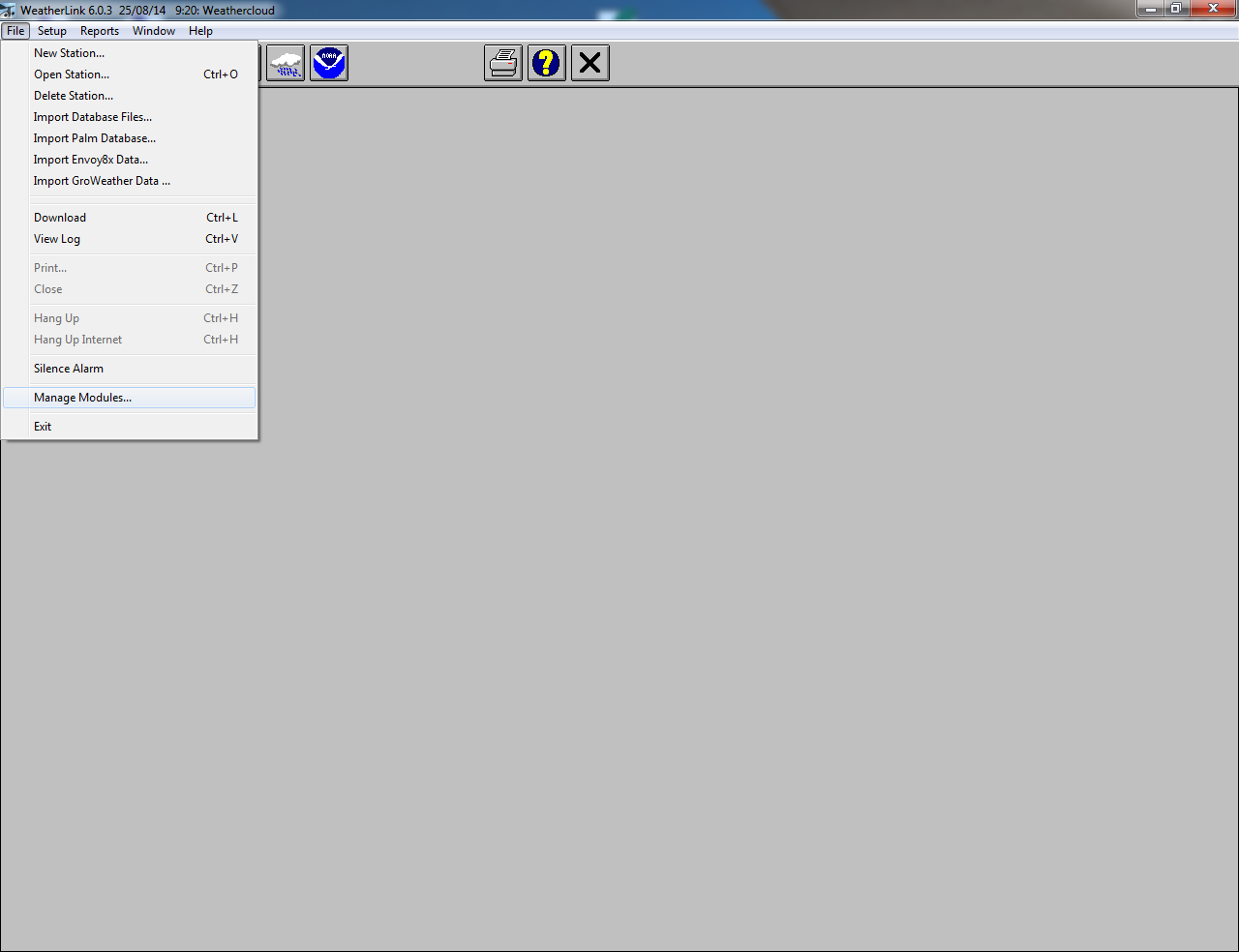
- Open WeatherLink and click on Manage Modules under the File menu.
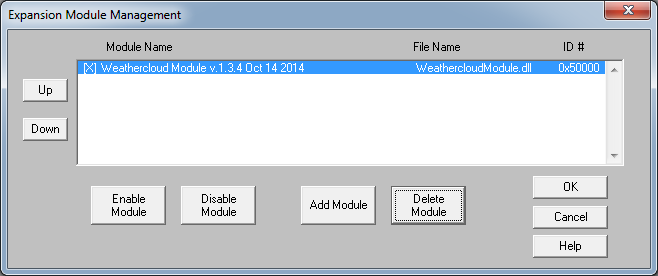
- Add the module file and press OK.
- Restart WeatherLink so changes are applied.
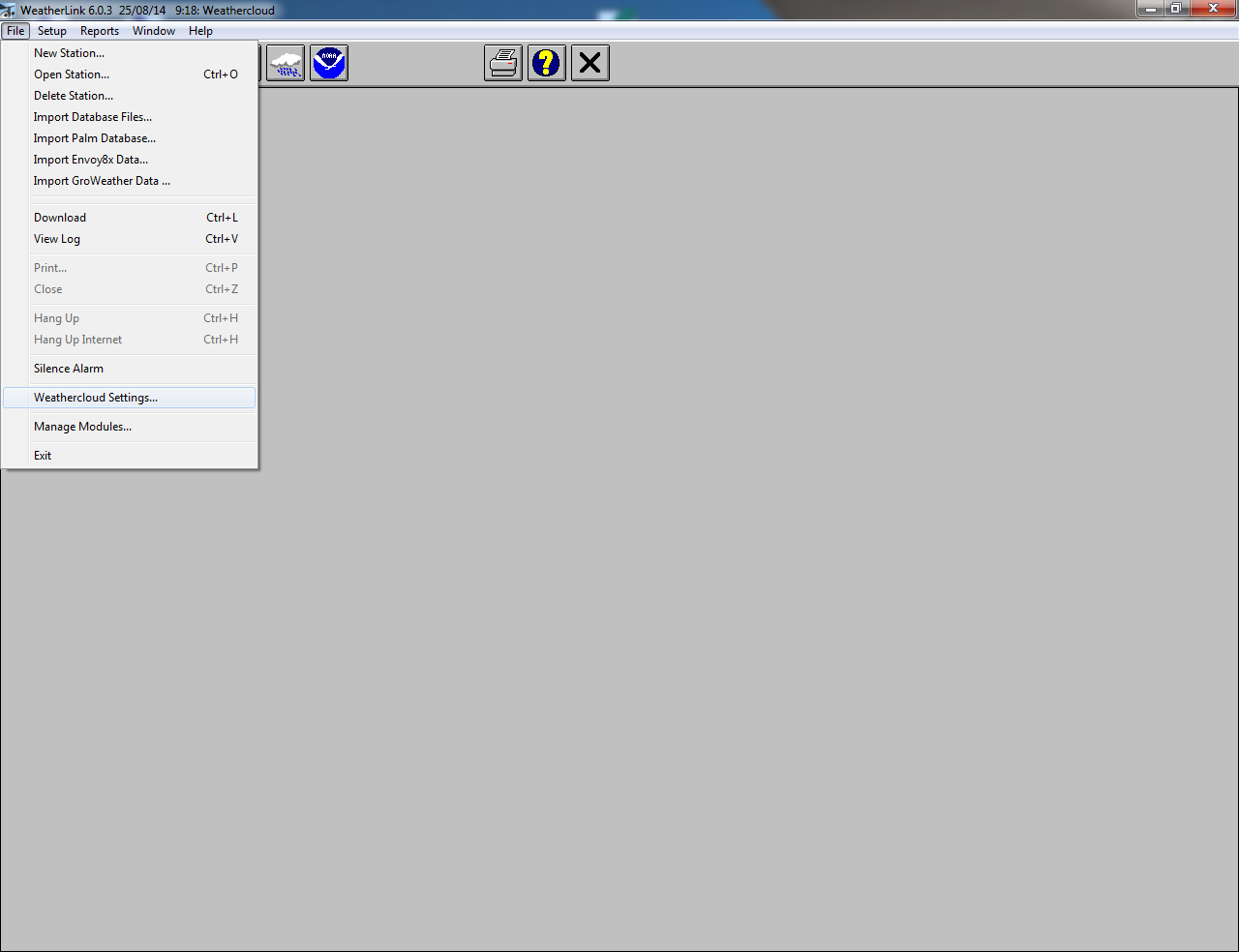
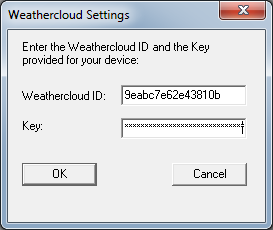
- Click on the new Weathercloud Settings option under the File menu.
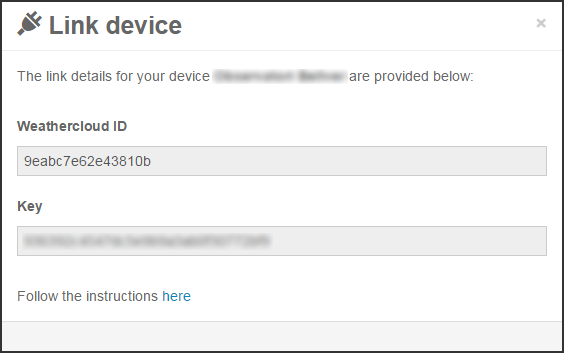
- Enter the Weathercloud ID and the Key provided for your device. You will find this information by going to your Devices page on Weathercloud and clicking on Link device in the Settings drop-down menu (the gear icon).
- Press OK.
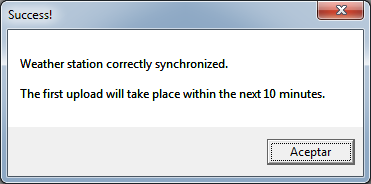
- If everything went right, you should see a success message and your device should start uploading data within the next 10 minutes.
Segueix-nos a les xarxes socials.