

Skywatch BL
Эта страница еще не доступна на этом языке.
Linking instructions
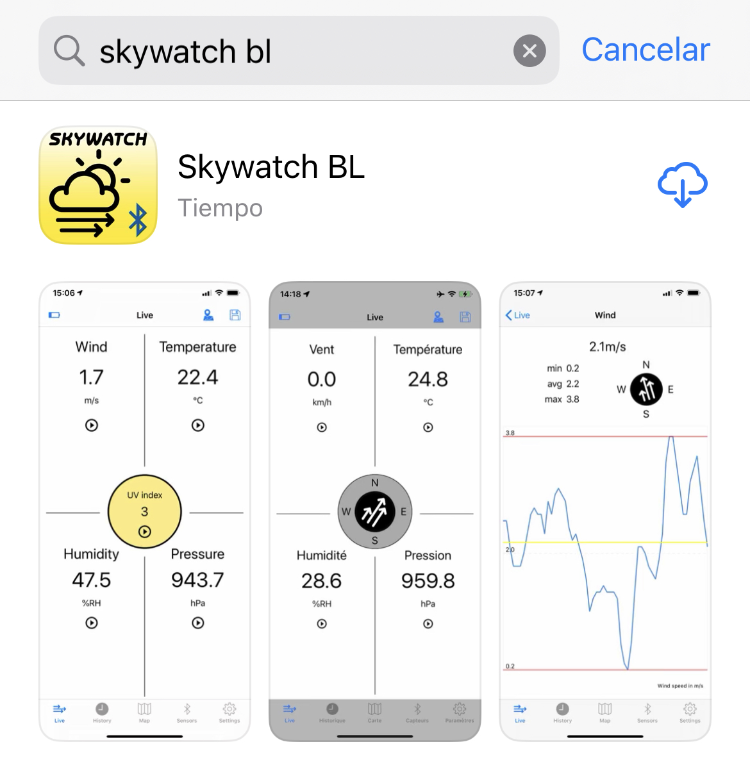
- Download the Skywatch BL app from the Apple App Store or Google Play.
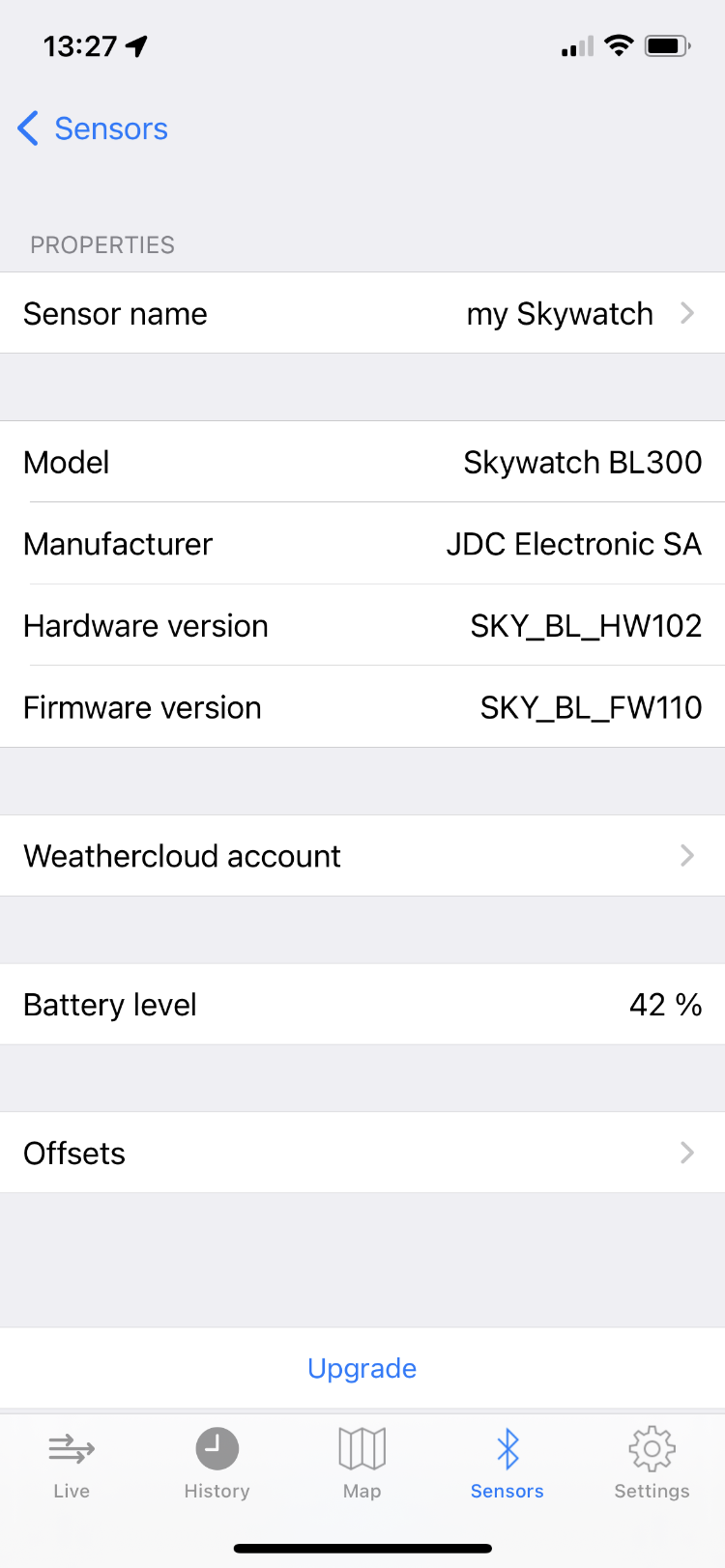
- Open the app and tap on Sensors.
- Tap on the information icon next to the name of your device.
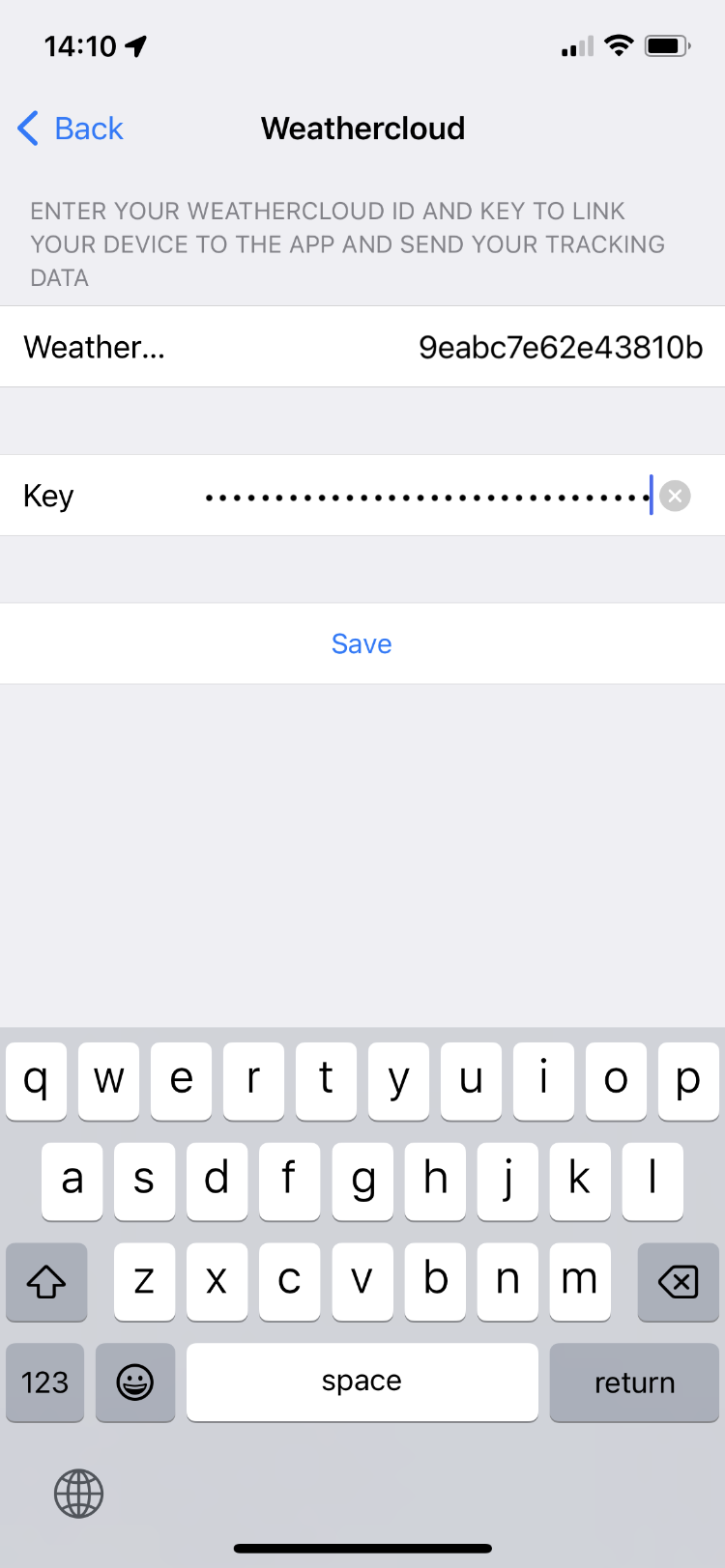
- Tap on Weathercloud account.
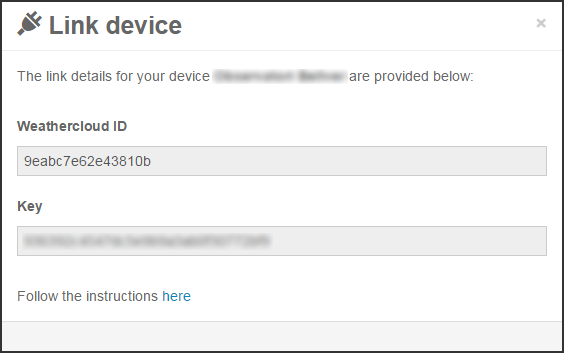
- Enter the Weathercloud ID and the Key provided for your device and tap on Save. You will find this information by going to your Devices page on Weathercloud and clicking on Link device in the Settings drop-down menu (the gear icon).
- If everything went right, your device should start uploading data within the next 10 minutes.

Следуйте за нами в социальных сетях.